Essential car seat safety tips during school runs with Graco
I have four drop-offs and pick-ups during the dreaded school run, which can last around two hours each way. So, it’s safe to say I’ve seen my fair share of driving mishaps, which have either caused me to emergency brake or swerve towards the curb. Each time there has been a jolt at the back of the car, I’m thankful my kids’ car seats were secure enough to handle the near-misses.
However, I haven’t always been on top of car seat safety in the last 14 years. Safety on the road has always been a huge concern for parents, especially during the hectic school runs where the risk of accidents increases significantly.
So, in the run-up to Road Safety Week (17th to 23rd November) and in collaboration with Graco and their ‘Safety Within’ campaign, we thought it would be a great time to revisit car seat safety measures, especially during the school runs, so we can feel safe and secure even when the roads can get quite hectic.
In this guide, we will deep dive into car seat safety and shed light on the often-overlooked dangers of school commutes. We will also go through appropriate safety measures for older children, as often parents believe our kids are too big for car seats, which isn’t always the case. We will also explore Graco’s dedication to enhance daily travel safety for families, so your most precious passengers are protected at all times.
Why Road Safety Week?
Road Safety Week is more than just a campaign and annual observance; it’s a crucial intervention designed to make our roads safer for everyone, especially our children. Road Safety Week serves as a potent reminder of the risks present every time we buckle our children into their car seats and start the engine. The point is to educate about safe practices and advocate for policies that protect all road users.
Why are we focusing on the school runs though?
School runs tend to be the times when children are most at risk on the roads. As evidenced by alarming statistics from the Department of Transport, nearly one in six-weekday car accidents occur when children are being dropped off (8-9 am) or picked up (3-4 pm) from school.
This period of high traffic and increased activity can also lead to rushed decisions and not paying attention, with the Department of Transport reporting that distractions inside the vehicle have been a contributory factor in 85 deaths and 4,103 injuries, ranging from mobile phone usage to activities involving other passengers, particularly children. These activities include managing children, such as attending to their needs or settling disputes, which can divert the driver’s attention from the road.
Furthermore, Allianz reported that insurance claims peak around 3pm, coinciding with the end of the school day when people are collecting kids and highlighting the afternoon rush hour as a critical time for heightened vigilance – people seem less alert during these times than the morning drop.
Driving on autopilot in familiar settings—often the case during regular school runs—means drivers are not as alert to unusual situations. This lack of alertness is a critical factor in why many accidents occur within a 10-mile radius of the home. In response to these risks, drivers are urged to exercise extra caution during school run rush hours and adhere to a recommended speed limit of 20mph in these community areas. This lower speed limit is intended to enhance safety for all road users, especially the young pedestrians who may unpredictably enter the roadway.
Graco has been a proud supporter of Brake for two years, the road safety charity behind this significant week, to promote safety and actively make road travel safer, especially during the school runs. Graco is enhancing its involvement by aligning its ‘Safety Within’ campaign with Brake’s Road Safety Week and this campaign will be featured on Graco’s Instagram account from November 17th to 23rd, providing daily child car safety tips aimed at educating parents and improving road safety awareness.
“Graco has been trusted by families to keep children safe in car seats for over 60 years, and supporting Brake helps us to extend that trust to the wider community.”
Luisa Rollins-Svensson, Consumer and Trade Marketing Manager at Graco UK
Graco wants to educate parents about these statistics and the real risks they represent, so we can all adopt a more safety-conscious approach to school runs. This focus is not only about preventing accidents but also about instilling lifelong safe driving habits that ensure our children’s safety every day.
Brake’s comprehensive safety guidelines for families
Brake provides invaluable guidance (you can find more information here) to protect children in and around vehicles, so that every journey is as safe as possible. Here are some important tips on how to be safe on the road:
Select the right vehicle for family safety
Choosing a safe car is the first step in safeguarding your family on the road. The EuroNCAP safety ratings are an invaluable resource for assessing a vehicle’s protective capabilities in crash scenarios and offer detailed insights into how well a car safeguards its occupants, including children, and pedestrians outside the vehicle.
These ratings evaluate everything from the effectiveness of seat belts and airbags to the structural integrity of the car in frontal, side, and rear collisions. Furthermore, opting for vehicles equipped with advanced safety technologies—such as autonomous emergency braking systems—can significantly enhance safety. These systems help prevent accidents by automatically applying the brakes if a collision is imminent, potentially saving lives. Additionally, cars designed with features that minimise injuries to pedestrians, such as softer bonnet materials and external airbags around the windscreen, represent a thoughtful choice for families concerned with both in-car and external road safety.
Make sure your child is properly restrained
Always use a child seat that is appropriate for your child’s height, age and development, certified with the United Nations E mark or BS Kitemark, and preferably new to avoid risks associated with wear or unknown history. For optimal safety:
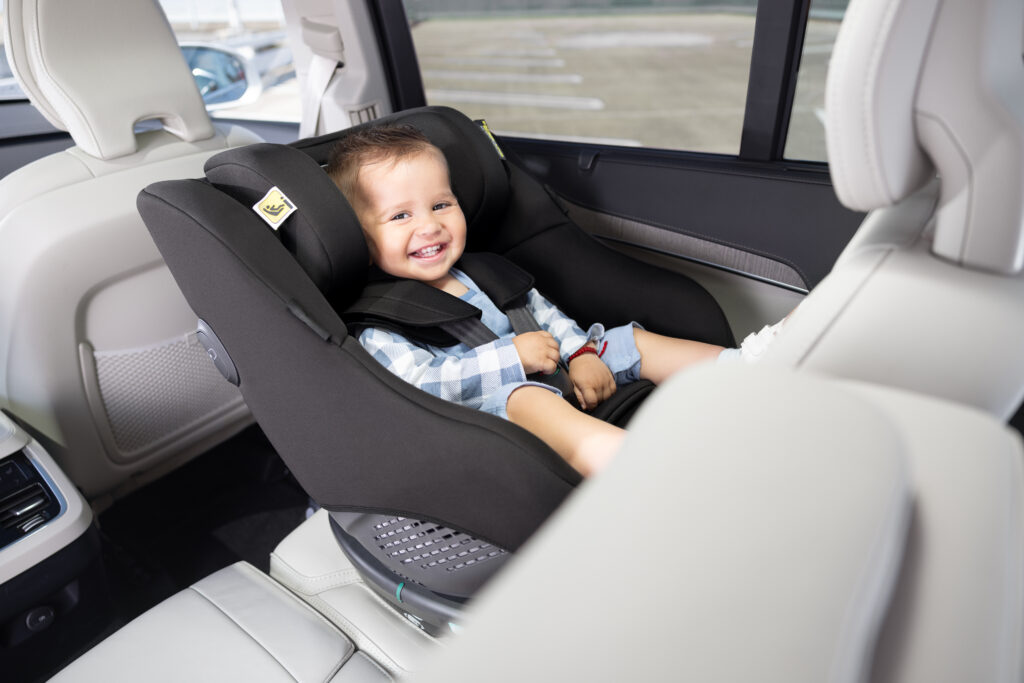
Use rear-facing seats for as long as possible (Graco recommends up to at least 4 years if possible).
Make sure the car seat fits the child’s current size and switch to the next size only when necessary.
Continue using a child seat until the child reaches 150cm, so they continue to be safe in the car.
Adopt these driving behaviours to minimise accidents
Speed control and minimising distractions are paramount. Encourage safe driving behaviours by setting a personal example, i.e.:
Adhere to speed limits, especially in residential and school areas, and drive at 20mph where possible
Never use your phone while driving. If necessary, store it in the glove box to avoid temptation.
Engage your children in maintaining safety by asking them to remind you about safe driving practices. We will discuss this in more detail below.
Rethink the School Run
If feasible, reduce the reliance on driving for school commutes:
Encourage walking or cycling to school to promote safety, health, and environmental benefits.
If driving is necessary, consider parking a short distance from the school and walking the rest of the way to alleviate congestion at school gates and minimise the risk of accidents.
Never leave children unattended in a vehicle
We cannot overstate the dangers of leaving children alone in a vehicle, especially in warm conditions. Always ensure your children are never left in a car unattended, as this can lead to tragic consequences.
A deeper dive into car seat safety guidelines
Your child’s safety during every car journey is paramount and with Graco’s expert advice and innovative car seats, you can be confident that your little ones are securely and comfortably buckled up. We will go through some of Graco’s tools and resources to ensure you are as safe as possible on the road.
Legal and safety requirements for car seats
Airbag deactivation: When using a car seat in the front passenger seat, it’s a legal requirement to deactivate the front airbags, to prevent injury in the event of an accident. Always consult your vehicle’s manual and the car seat’s instruction manual to ensure correct installation and airbag deactivation.
Appropriate sizing: Children should use car seats that are appropriate for their size until they reach 150cm. Do not rush the transition from one stage of child seat to another. Safety first!
Extended rear-facing use: Keep your child in a rear-facing seat until they reach a minimum of 75cm and 15 months of age. Extensive research has shown that rear-facing seats offer better protection for your child’s head, neck, and spine.
Regular fit checks: Regularly check that the car seat fits your child’s current height. i-Size and R129 standards use height as the primary indicator for seat suitability. Graco’s car seat buying guide can help you make sure your seat is the right fit.
Travelling with children requires not only the right equipment but also the knowledge of how to use it effectively to ensure maximum safety. Here are some expert tips to make sure every journey with your little ones are as safe as possible:
Remove your child’s coat during the colder months
During colder months, remove your child’s coat before securing them in their car seat, so the harness fits snugly against their chest and shoulders. You can place the coat or a blanket over the secured harness for additional warmth without compromising on safety.
Harness security – try the pinch test
To check if the 5-point harness is tight enough, perform the pinch test. Try to pinch the strap at your child’s shoulder; if you can pinch a fold in the fabric, the harness is too loose and needs adjusting. Make sure the harness straps are level and equally tight on both sides to provide balanced support and restraint.
Optimal seating position – SHH! (seat, headrest, handlebars)
When considering the optimal seating position, think SHH! (which is what I use to remind myself that I’ve checked everything). Always position the youngest child or the child in the rear-facing seat behind the passenger seat. This positioning is safer during an accident, breakdown, or even when you’re parked, as it allows you to access your child safely from the pavement side without exposing them to road traffic.
Adjust the headrest so the bottom aligns with your child’s chin and sits 2-3 cm above their shoulders. This ensures the headrest can protect the head efficiently without causing discomfort or restricting movement.
For Group 0+/i-Size infant carriers, keep the handlebar upright as it acts as a secondary safety feature during collisions, helping to protect your baby further.
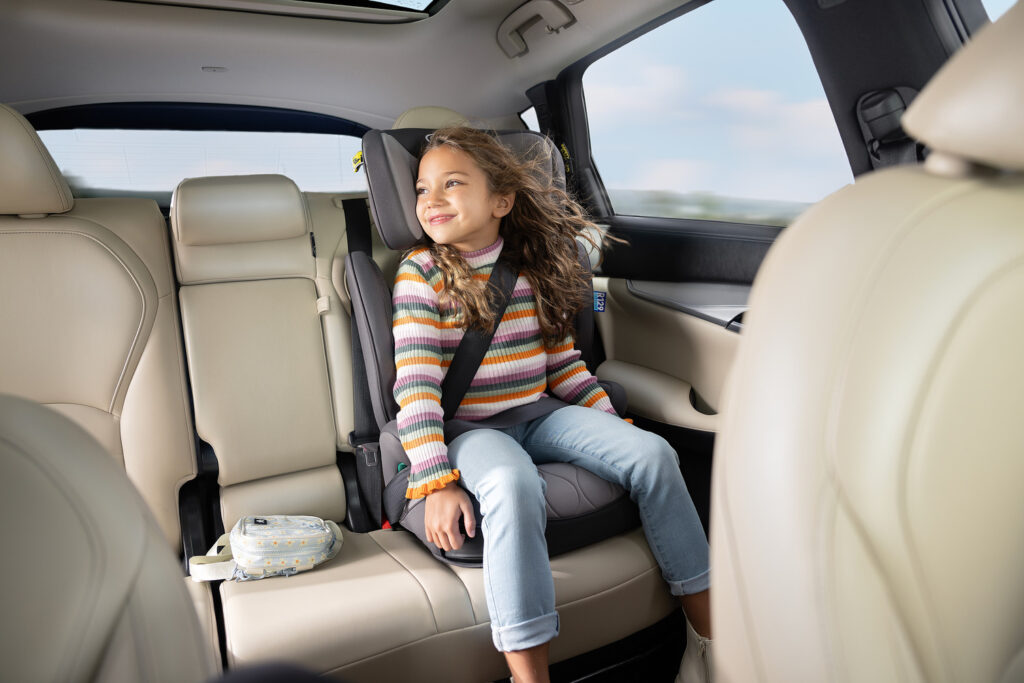
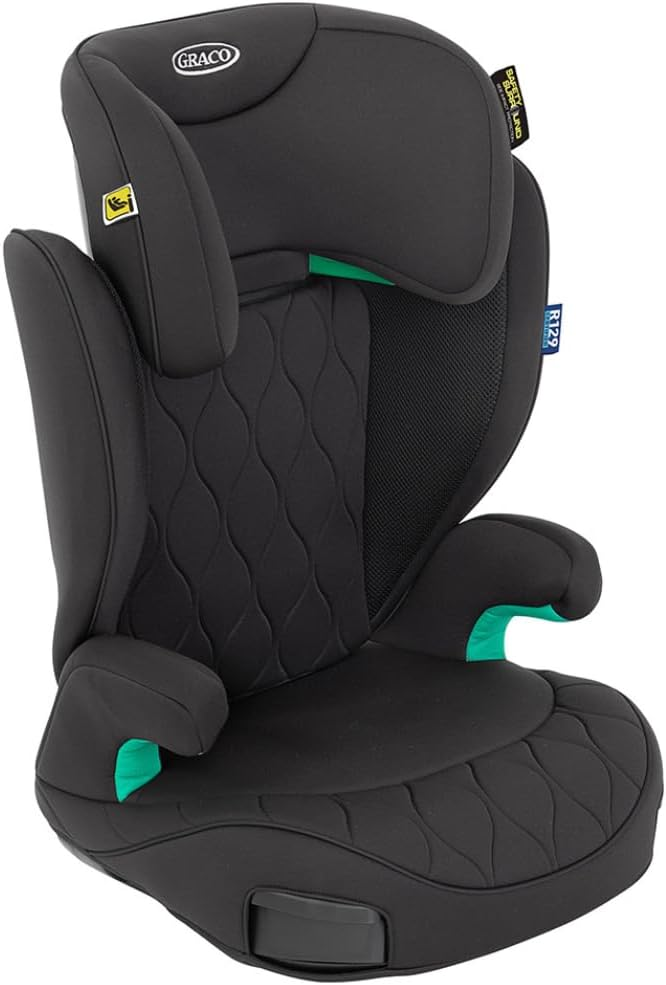
The Graco Affix i-Size R129 ISOFIX Highback Booster grows with your child
Age and Size Adaptability: Suitable for children approximately aged 3.5 to 12 years, accommodating heights from 100 to 150cm.
Safety Certifications: The seat is i-Size and R129 certified, meeting the latest safety standards, which include advanced side impact protection to safeguard your child in the event of a side collision.
Installation Ease: Colour-coded ISOFIX connectors make the installation process straightforward, minimising errors and enhancing overall safety.
Lightweight and Portable: Weighing just 4.2kg, this booster is easy to transfer between vehicles, making it ideal for families on the move.
Comfort Features: Includes breathable fabrics for side ventilation, a 10-position adjustable headrest, premium padded seat and armrests for comfort on long journeys. Dual retractable cupholders keep necessities within easy reach too.
One of Brake’s innovative strategies is to recommend involving children actively in their own safety. One of these strategies includes encouraging children to role-play as ‘police(wo)men’, overseeing the safety practices within the car. This role-playing activity does more than entertain; it empowers children to actively participate in maintaining safety. It’s a fun and interactive way to monitor and remind about safety protocols such as seatbelt usage and proper seating, but it also instils a sense of responsibility and awareness about road safety from a young age. Children can develop a deeper understanding of safe driving practices, making them more likely to grow up with a conscientious approach to driving and road use.
You can support these initiatives by reinforcing the message that road safety is crucial and everyone has a role to play in ensuring a safe journey.
FAQs on car seat safety during school runs
1. What is the proper car seat safety during school runs?
Proper car seat safety involves using a car seat appropriate for your child’s height, age, and weight. Make sure the seat is installed according to the manufacturer’s instructions and secured tightly in your vehicle. Always use the harness and buckle system as directed to keep your child safely restrained during each journey.
2. At what age do you stop using a car seat?
You should continue using a car seat until your child reaches the height or weight limit specified by the seat’s manufacturer. After they outgrow the car seat, transition to a booster seat until they are tall enough to properly fit your vehicle’s seat belts, which is typically when they are about 150cm tall or 12 years old.
3. How can I ensure my child’s car seat is installed correctly?
To ensure correct installation, follow the car seat manual and your vehicle’s instruction manual carefully. Use either the seat belt or LATCH system to secure the seat. After installation, the seat should not move more than an inch side-to-side or front-to-back. If unsure, visit a local car seat inspection station for professional assistance.
4. What are the CDC recommendations for car seats?
The Center for Disease Control and Prevention (CDC), America’s leading science-based, data-driven, service organisation that protects public’s health recommends keeping children in rear-facing car seats for as long as possible, moving to a forward-facing car seat with a harness until they reach the maximum weight or height limit, and then switching to a booster seat. They should remain in a booster seat until adult seat belts fit properly.
5. How do I check car seat safety ratings?
Car seat safety ratings can be checked through consumer reports or safety organisations that conduct and publish crash testing and safety evaluations, such as the National Highway Traffic Safety Administration (NHTSA) or the Insurance Institute for Highway Safety (IIHS).
6. Are booster seats safe?
Yes, booster seats (highback or backless) are safe and necessary for children who have outgrown their forward-facing harnessed seats but are not yet large enough for adult seat belts. Boosters elevate children to a height where the seat belt fits them properly over the sternum and the centre of the collarbone, not the neck, and low across the upper thighs, not the abdomen.
7. Why is car seat safety important?
Car seat safety is crucial as it significantly reduces the risk of injury or death in the event of an accident by properly securing the child and ensuring that impact forces are distributed over the strongest parts of the body.
8. How often should I check my child’s car seat for issues?
Check your child’s car seat regularly, at least once a month, to ensure there are no loose parts, and that straps and harnesses are not twisted or frayed. Always replace the car seat after any incident.
Final thoughts
Throughout this article, we have emphasised the pivotal role of car seat safety, particularly during school runs—a time when our children are frequently on the move and most vulnerable. Graco, in collaboration with Brake, has taken significant steps through its ‘Safety Within’ campaign to enhance awareness and instil rigorous safety measures, especially about the critical nature of properly fitted and utilised car seats. You must regularly check your child’s car seat meets current safety standards, such as the i-Size and R129 certifications, and ensure that these seats are correctly installed and maintained.
The statistics speak for themselves: accidents during school runs are not just possible but prevalent, with a disturbing number of these incidents attributed to preventable causes such as distraction and improper seat usage. So adhering to the guidelines provided, such as ensuring the correct seat for your child’s size and age and engaging children in safety practices, means you can drastically reduce these risks.
Every journey matters, and every precaution taken is a step toward safeguarding our children’s futures. Graco’s longstanding commitment to safety and their active involvement in Road Safety Week serves as a model for how companies and parents alike can contribute to creating safer travel environments for everyone.
For more detailed information on the latest in car seat safety technology and tips for secure travel, visit Graco’s website. Additionally, to stay engaged with ongoing safety campaigns and to find daily tips on protecting your little ones on the road, follow Graco’s Instagram. Join the ‘Safety Within’ campaign and become part of a growing community dedicated to ensuring that every child is protected, every journey, every day.
*This post is sponsored by Graco, but all thoughts are 100% my own – Some images are taken from Graco’s website*
Parenthood and fire safety alarm features for businesses: A comprehensive guide
Balancing the responsibilities of parenthood with professional obligations is a challenge many of us face daily. Amid these demands, we need to make sure safety at home and in the workplace becomes a top priority. Safeguarding your child is a constant concern, and this vigilance naturally extends to the business environment. Fire safety alarms play a critical role in protecting homes and businesses from potential fire hazards, so this article explores the importance of fire safety alarms for parents, the essential features for businesses, and how integrating these alarms can create a safer environment for everyone.
The importance of fire safety alarms for parents
Ensuring the safety and wellbeing of children
Our primary concern is the safety and wellbeing of our children and this concern is heightened when considering the risks associated with fire hazards. So, fire safety alarms are essential tools in providing early warnings of potential fires, allowing for timely evacuation and minimising the risk of injury or death.
Peace of mind
Having a reliable fire safety system in place provides you peace of mind at home and work, allowing you to focus on daily tasks, confident that you have taken necessary precautions to protect your family.
Early detection
Modern fire safety alarms are designed to detect smoke and heat at the earliest stages of a fire. Early detection is crucial for allowing sufficient time to evacuate, especially in homes with children who may need extra assistance.
Life-saving alerts
Alarms equipped with loud sirens and visual alerts ensure everyone in the household or business is immediately aware of the danger. For you, this means a greater chance of safely evacuating your child in the event of a fire.
Essential fire safety alarm features for businesses
For businesses, fire safety is not just a regulatory requirement but a crucial aspect of protecting employees, customers, and assets. Advanced fire safety alarm systems come with various features designed to enhance safety and ensure a rapid response in case of emergencies.
Smoke and heat detection
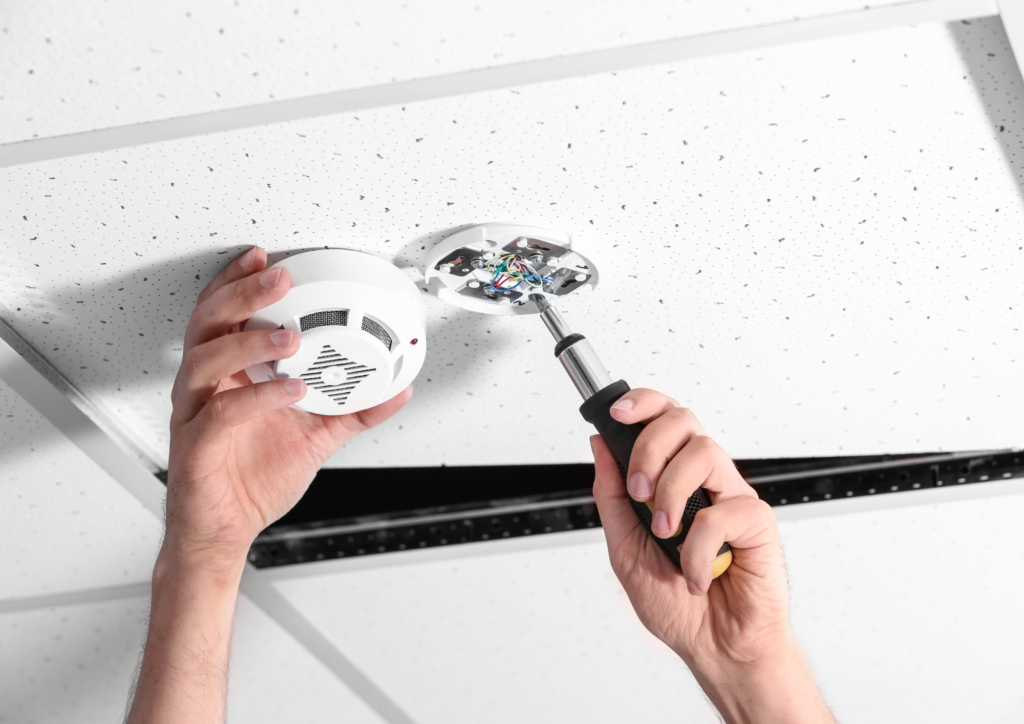
Smoke Detectors: These are the most common type of fire alarm. They detect the presence of smoke, often the first sign of a fire. Advanced smoke detectors can differentiate between smoke from a fire and other sources, reducing false alarms.
Heat Detectors: These sensors detect rapid temperature increases. They are particularly useful in environments like kitchens, where smoke detectors might trigger false alarms.
Carbon monoxide detection
CO Detectors: Carbon monoxide is a dangerous, odourless gas that can be a byproduct of fires. Many modern fire safety alarms include CO detectors to provide an additional layer of protection.
Interconnectivity
Linked Alarms: In larger homes or buildings, interconnectivity between alarms ensures that if one alarm detects smoke or heat, all alarms will sound. This feature is crucial for ensuring everyone in the building is alerted, regardless of their location.
Visual and auditory alerts
Strobe Lights: For those who are hearing impaired, strobe lights provide a visual alert in case of a fire.
Loud Sirens: The primary function of any fire alarm is to produce a loud sound to alert everyone. Modern systems often feature multi-tone sirens to ensure they can be heard over various background noises.
Voice alerts
Voice Instructions: Some alarms now include voice alerts that provide clear instructions on what to do during a fire. This feature can be particularly beneficial for young children who might be confused or scared by a traditional siren.
Smart technology integration
Smart Alarms: Integration with smart home systems allows you to receive alerts on your phone if an alarm is triggered. This feature ensures you can respond quickly even if you are not at home.
App Connectivity: Many modern alarms come with apps that provide real-time updates and allow remote control of the system.
Battery backup
Dual Power Sources: In the event of a power outage, a battery backup ensures that the fire alarm system remains operational. This feature is critical for ensuring continuous protection.
Emergency lighting
Illuminated Escape Routes: Some fire alarms include emergency lighting to illuminate escape routes, making it easier to evacuate during a fire, especially in the dark.
Advanced fire safety alarm features for businesses
For businesses, having comprehensive fire safety systems is not just about compliance; it’s about ensuring the safety of employees and customers. Here are some advanced features that businesses should consider:
Addressable fire alarm systems
Individual Device Identification: These systems allow each device (smoke detector, heat sensor, etc.) to have a unique address. This feature helps quickly identify the exact location of a fire, enabling a faster response.
Integration with sprinkler systems
Automated Response: Fire alarms that integrate with sprinkler systems can automatically activate sprinklers when a fire is detected, helping to control or extinguish the fire before it spreads.
Regular maintenance alerts
System Health Monitoring: Advanced systems can provide alerts when maintenance is needed, ensuring that all components are functioning correctly and reducing the risk of system failure.
Zone-based alarms
Targeted Evacuation: Large businesses can benefit from zone-based alarm systems that can isolate specific areas, ensuring that only affected zones are evacuated, reducing panic and disruption.
Integration with building management systems
Centralised Control: Integration with building management systems allows for centralised monitoring and control of fire safety systems, providing a comprehensive view of building safety.
Conclusion
As parents and business owners, ensuring the safety of our families and employees is paramount. We must understand the advanced features of modern fire safety alarms so we can make informed decisions about the best systems to install in our homes and workplaces. By leveraging these features, we can create safer environments that provide peace of mind and protect our loved ones from the devastating effects of fire.
In the ever-evolving landscape of safety technology, staying informed and up-to-date with the latest advancements is crucial. Whether you are a parent looking to safeguard your home or a business owner aiming to protect your premises, investing in advanced fire safety alarm systems is a step in the right direction towards enhanced safety and security.
*Collaborative feature post*
Child car safety upgraded: How to be R129 compliant now
In recent years, the realm of child car seat safety has been undergoing a transformative shift, especially when it comes to the protection of our youngest passengers. Child car seats are an essential requirement when travelling with kids, from birth up to 12 years old. So, as cars become equipped with smarter technology, so too do the devices designed to keep our children safe during transit.
When it comes to child safety, especially on the roads, regulations must continually evolve to reflect research advancements. Thus, Regulation 129, more commonly known as R129, emerged in the EU, which the UK initially adopted and continued to recognise post-Brexit.
The advancement brought out R129 compliant car seats with latest i-Size car seat safety. So, for parents, guardians, and caregivers, adhering to the new R129 car seat regulations is not just about following the new rules; it’s about ensuring that our precious cargo is given the utmost protection every time we hit the road.
In this article, we’ll demystify the latest R129 compliant car seat safety laws and explain why it’s so pivotal in keeping your child safe, giving you peace of mind for every journey ahead.
The origin of being R129 compliant and the shift from past regulations
Before R129, child car seats were certified under the older R44 regulation, which was based primarily on a child’s weight. Over time, as more research became available and technology evolved, it was clear that a new, more rigourous standard of safety was necessary. Thus, the R129 standard was introduced to address the various limitations of R44 and to bring forward a more comprehensive approach to child safety in vehicles.
The objective of being R129 compliant – features of an R129 compliant car seat
The primary objective of the R129 standard in the UK and across Europe is to enhance child safety during transit. By introducing the i-Size certification, focusing on size rather than weight, and setting stricter testing criteria, R129 makes sure children are better protected on the road.
But, it’s not always so easy.
Having been through literally dozens of car seats in the last twelve years, I still feel some anxiety when buying and fitting a new car seat for my growing children.
So, how do we know if we’re being R129 compliant?
Alongside popular parenting media sites like Mother & Baby, First Time Mums and The Mum Club, Graco, a company which have kept children safe in Graco car seats for over 60 years, asked parents about the car seat safety standards and their experience with travelling by car with their children.
The results showed that 81% First Time Mums followers admitted to feeling nervous about taking their very first car journey with their baby, with 40% feeling anxious about this massive milestone.
Only 25% of Mother & Baby readers feel confident they knew what the different car seat safety standards mean and two thirds of parents consider buying a new car seat as their child grows.
But some members at The Mum Club were confused about the current standards and rely heavily on retailers to reassure them the car seat they’re using is up to date. They also depend on leading manufacturers to provide the very best car seat protection for their little one.
How to check if your seat is compliant when you’re not an expert
Car seat safety protocols are confusing, so Graco are aiming to cut through the noise and not only explain the differences in car seat standards, but they will tell you what to look for, when to purchase and how to find more personalised advice.
S.A.F.E journeys with Graco
Graco have devised the below memorable acronym, using the word S.A.F.E for parents and carers, so they can be R129 compliant with the new safety improvements. More information on Safe Journeys can be found on their website, The Graco Village. The acronym consists of:
S – Size of your child
Unlike the R44 which used the child’s weight as the primary criterion for car seat suitability, R129 shifted the focus to the child’s size (height). Size is a more reliable measure as children of the same weight can vary significantly in height, which affects how the seat belt fits and functions. Manufacturers will still indicate a recommended age and remind you to check the height to see if they are still suitable for the seat they are in.
A – Advanced Side Impact Protection
It is now standard that all R129 car seats must have side impact testing. R129 car seats have improved reinforced frames to protect your child during a collision.
F – Fitting Formulas
One major component of the R129 is the introduction of the ‘i-Size’ certification, which means i-Size seats are designed to be more universally compatible with vehicles and provide clearer guidance for parents on whether a particular car seat fits their vehicle correctly.
Fitting formulas ensure your car seat fits your car safely. Follow manufacturer guidelines and visit high street experts to make sure you have the right seat for your car and that it is secured properly.
E – Extended rear facing
Your child should be in a rear facing car seat until they are at least 15 months old. Graco recommends rearward travel until four years old (when you can then move to forward facing and booster seats) for the best protection to your child’s neck and spine. Research shows that rear-facing seats offer better protection for a child’s head, neck and spine in case of a collision.
R44 car seats will be phased out from shops in the UK by September 2025, so it’s worth considering upgrading your car seat imminently to make sure you’re in line with the new regulations. Here are some tips to upgrading your car seat to an i-Size R129 compliant car seat:
Measure your child
Since i-Size regulations are height-based, you should know your child’s current height, so you can choose the correct car seat measurements.
Check your vehicle compatibility
i-Size car seats need to be used with cars equipped with Isofix anchorage points. Most cars manufactured after 2007 have them, but it’s always best to check your car’s manual or contact the manufacturer.
Set a budget
R129 compliant car seats come in a range of prices, from budget to premium. Determine how much you’re willing to spend, keeping in mind that more expensive doesn’t always mean safer. However, additional features might offer more convenience.
Research and choose a brand/model
Look for trusted brands and read reviews from other parents. Ensure the chosen seat meets the R129 standard by looking for the i-Size logo or checking the product specifications and car seat sizes (including the R129 compliant safety rating). You can find a range of R129 compliant car seats from Graco here.
Where can you buy R129 compliant car seats?
You can look at specialist retailers who specialise in baby car seats for their range of i-Size car seats. Staff in these stores are often trained to give advice on choosing and fitting car seats.
Online retailers can offer a variety of i-Size seats or you can buy direct from the manufacturer itself.
Professional fitting
If you’re unsure about fitting the seat yourself, many retailers offer a fitting service. They’ll demonstrate how to fit the seat correctly.
Some local authorities or organisations offer car seat checking events where professionals can advise on the fitting.
Register your car seat
Registering you car seat means you are notified of any product recalls or safety notices.
Dispose of or recycle your old seat
If your old car seat is still safe to use (i.e. not involved in any accidents or not expired) then you can consider donating it.
If it’s no longer safe, then some reycling centres accept car seats. Check with your local council for guidance on disposal.
Stay updated
Safety standards and recommendations are constantly evolving, so it’s a good idea to stay informed about child car seat safety, even after buying your new R129 compliant car seat.
Lastly, always remember to regularly check the fit of the car seat and the harness on your child, especially as they grow. A correctly fitted seat is crucial for safety.
FAQ
What does R129 approved mean?
Other questions asked were:
What does R129 compliant mean?
What is R129 compliant car seat?
What is R129 compliant?
What is the UN R129 standard?
As mentioned above, the R129 regulation, commonly known as “i-Size”, is a European standard introduced to enhance the safety of child car seats. When a car seat is R129 approved, it means it meets the safety requirements set out in this regulation. You can find more details above, but here is a summary of the primary features and implications of the R129 approval:
Height-based sizing: Unlike the previous ECE R44/04 regulation which categorised seats by weight groups, the ECE R129 i-Size is primarily height-based. This aims to make it easier for parents to determine the appropriate seat for their child, focusing on the child’s length rather than weight.
Mandatory rear-facing: Under R129, young children (up to at least 15 months old) must be seated in rear-facing car seats. This is because research shows that rear-facing seats are safer for young children, especially in the event of frontal collisions.
Using Isofix installation: R129 seats use the Isofix system, which connects the child seat directly to the car’s chassis using built-in anchor points. This reduces the risk of incorrect installation, which is a common problem with seatbelt-installed seats.
Improved side impact protection: R129 introduced enhanced requirements for protection against side impacts, which are a significant cause of injury in car accidents.
Clearer labelling: The new standard seeks to simplify labelling and make it easier for parents to understand, including clear indicators of the height and age range for which the seat is suitable.
Standardised testing: To be R129 approved, child car seats undergo rigorous testing in more varied crash tests, including more realistic side-impact tests.
Inclusion of Q-dummies: R129 testing incorporates the use of Q-dummies, which are the latest generation of crash test dummies. These dummies provide more detailed data, especially concerning head injuries.
To sum up, “R129 approved” means the child car seat meets the latest safety standards set out by the European regulation, ensuring improved safety features and clearer guidance for parents and caregivers.
*This post is sponsored by Graco but all thoughts are 100% my opinion. All images are taken from Graco’s website*
Nextbase 622GW dash cam: The secret weapon for school runs
Picture this.
It’s snowing/raining/sleeting and the roads are unsalted. Hoards of cars weave in and out of few unoccupied parking spaces and traffic is building up on both sides. One narrowly misses the other as both cars compete to push through the open bays. Horns are glaring in unison.
This is a regular morning school run for me, no matter the weather.
Every morning we leave the house at 7.30am to beat the inevitable traffic and we’re on the road until I take my fourth to playgroup around 9.30am.
One particular day felt crazier than normal. It had been snowing yet there were more cars on the road. As we turned a corner, a 4×4 hurled towards us and veered onto our lane. The driver quickly swerved back at a particularly angled part of the road but not before we almost hit the curb on our side. As we ventured further, we had to emergency brake at a car which stopped abruptly in front of us, almost causing the car behind to crash into us – all in the space of five minutes!
When we arrived at the second school run pit stop, a rather rude man with a Tesla blocked us in, then proceeded to eff and blind at me in front of the kids because I told him he was parked on a single yellow line and we couldn’t get out to get to our third stop. He moved his car eventually, but that didn’t stop us from being late.
When we arrived at the third stop, a car behind us reversed onto the road behind and almost got hit by a truck. The noise was enough to wake the other side of the equator. To say I had nervous shock when I got home was an understatement.
Of course it’s not always like this, but the school run can be tiring and chaotic at the best of times. If I had a pound for every time I shouted, ‘Learn to drive!’, or, ‘Indicate!’ at an oncoming car, I wouldn’t need to drive my kids to school anymore, I’d be retiring on an island and I’d have my own school rules! I’ve also uttered, ‘If only I had recorded the license plate,’ many a time.
Well now I can!
Are you tired of the school run turning into a chaotic, stressful mess every morning? Fear not, because I have the solution to all your road rage problems. Introducing the Nextbase 622GW dash cam which has become my new best friend on the road.
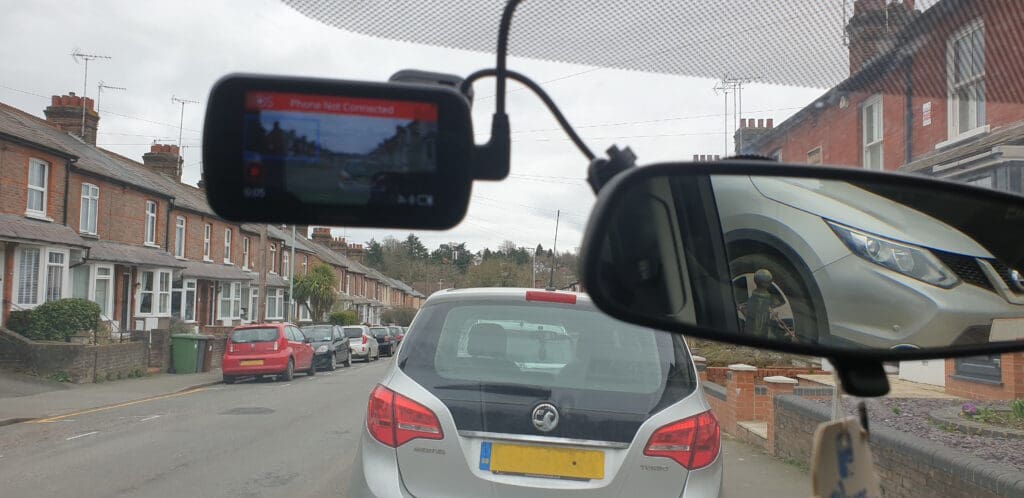
The Nextbase 622GW dash cam can provide added safety and peace of mind for parents while driving on the road, by recording footage, providing emergency assistance, and alerting drivers to potential hazards. It can even spot and record those pesky hit and runners while you’re parked and away from your car. #nowheretohide
Read on for the full Nextbase 622GW dash cam review and how it can help you on the school run too.
The Nextbase 622GW dash cam is a high-end dashboard front view camera designed for cars. It is a premium model in the Nextbase range and is equipped with advanced features and technology, including:
4K dash cam video recording: The camera can provide excellent image quality using ultra-high-definition video footage at a resolution of 3840 x 2160 pixels.
Touch screen interface: The camera features a 3-inch touch screen display that allows for easy menu navigation and playback of recorded footage.
Built-in Wi-Fi connectivity: The camera can connect to Wi-Fi networks, enabling users to transfer footage to a smartphone or tablet for sharing or editing.
Emergency SOS feature: In the event of an accident, the camera can automatically alert emergency services and provide precise location sharing.
Intelligent Parking Mode: The dashcam can monitor your vehicle while it is parked, using motion detection to trigger recording if someone approaches or collides with your car.
Alexa built-in: The Nextbase 622GW dash cam has Alexa built-in so you can get directions, play music, make calls, and more, all hands-free.
Image stabilisation: The camera has advanced image stabilisation technology to help reduce camera shake and ensure smooth footage.
Multiple safety features: The Nextbase 622GW dash cam also comes equipped with several safety features, such as lane departure warnings, collision avoidance systems, and driver fatigue alerts.
What do you get in the Nextbase 622GW bundle? Unboxing the Nextbase GW K Dash Cam
The contents of the Nextbase 622GW bundle may vary depending on the retailer or seller. However, typically, the bundle should include:
The Nextbase 622GW Dash Cam which is the main component of the package.
A power cable to connect the dash cam to the car’s power source.
A Click&Go PRO mount for easy installation and removal of the dash cam from the car’s windscreen.
Some bundles may include a rear camera module that can be connected to the dash cam for recording footage of the rear view. Ours was included in this particular bundle.
A MicroSD Card for storing the footage recorded by the dash cam. We received a 256gb U3 microSD card.
A quick start guide that provides basic instructions for setting up and using the dash cam.
Other accessories such as a carry case, screen protector, or cleaning cloth. We also received a sticker to place on the car’s rear or side window to warn other drivers that we are recording around us.
The Nextbase 622GW is a highly advanced dash cam with features that include 4K Ultra HD recording, built-in GPS, Wi-Fi, Bluetooth, and emergency SOS response. It also includes Intelligent Parking Mode for added security and peace of mind. Below are the full specs of the Nextbase 622GW dash cam:
4K Ultra HD (3840 x 2160) resolution at 30fps, 1080p Full HD at 120fps, 720p HD at 240fps
140-degree wide-angle lens with six-layer glass and f/1.3 aperture
3-inch HD IPS touch screen display
Built-in GPS module for location tracking and speed monitoring
Built-in Wi-Fi for easy transfer of footage to a smartphone or tablet
Built-in Bluetooth for hands-free calling and voice control
Emergency SOS response system that can automatically call for emergency services in the event of an accident
Motion detection and impact sensing to automatically record footage when the car is parked
MP4 video format
H.265 (HEVC) video codec
Supports up to 128GB microSD cards (not included)
500mAh Lithium-ion battery
12-24V DC power supply via included car power cable
98mm x 45mm x 37mm height dimensions
Weighs 128g
How to use Nextbase 622GW dash cam
There are a lot of components so make sure you familiarise yourself with the user manual and manufacturer’s instructions so you use the Nextbase 622GW dash cam properly. Below are the steps on how to install Nextbase 622GW dash cam, including the rear camera too.
First, mount the dash cam on your car’s windshield using the Click&Go PRO mount included. Make sure the dash cam is securely attached by pressing the mount firmly against the glass and twisting the base to lock it in place. The ideal location should provide an unobstructed view of the road ahead and not interfere with your driving.
Connect the dash cam to your car’s power source using the included power cable. Route the cable along the edge of the windshield, tucking it behind the car’s headliner and down the side of the dashboard. Connect the other end of the cable to your car’s power outlet, such as the cigarette lighter socket. Attach the dash cam to the mount by sliding it down onto the mount until it clicks into place. The dash cam should turn on automatically when your car starts up.
Use the dash cam’s touch screen interface to adjust the camera settings to your preferences. You can choose options such as video resolution, frame rate, and exposure. Adjust the camera angle to ensure that it is aimed in the right direction and provides a clear view of the road ahead.
The dash cam will start recording automatically when you start driving. You can also manually start and stop recording using the touch screen interface or voice commands.
You can review the footage recorded by the dash cam on its touch screen or transfer it to your smartphone or computer using the built-in Wi-Fi connectivity or Micro SD card.
The Nextbase 622GW dash cam comes with additional features such as Emergency SOS, Intelligent Parking Mode, and Alexa built-in. You can use these features to enhance your driving experience and ensure your safety on the road.
Always make sure to comply with local laws and regulations regarding the use of dashboard cameras while driving.
How to remove Nextbase 622GW dash cam from mount
Here are the general steps to remove the Nextbase 622GW dash cam from its mount:
Before removing the dash cam from its mount, turn it off by pressing and holding the power button until the screen turns off.
Locate the locking mechanism on the Click&Go PRO mount and release it by pulling the locking lever or pressing the release button, depending on the specific model.
Once the locking mechanism is released, gently lift the dash cam off the mount by pulling it upwards and away from the windshield. Be careful not to tug too hard or apply excessive force to avoid damaging the mount or dash cam.
Once the dash cam is removed from the mount, disconnect the power cable from the dash cam’s power socket.
Store the dash cam in a safe place, such as the carrying case provided or protective cover, to prevent damage or scratches.
Other Nextbase 622GW safety features – Extreme Weather Mode
The Nextbase 622GW Extreme Weather Mode is a feature that is designed to improve the image quality of the dash cam when driving in extreme weather conditions such as heavy rain, snow, or fog.
When Extreme Weather Mode is activated, the camera adjusts its exposure and contrast settings to compensate for the reduced visibility and lighting conditions. This helps to enhance the details and clarity of the video footage, making it easier to see and interpret what is happening on the road.
The Extreme Weather Mode also adjusts the camera’s image stabilisation and anti-glare settings to minimise the effects of weather-related issues such as windshield glare, snow or rain accumulation on the lens, or the vibration of the vehicle caused by strong winds or rough roads.
Nextbase 622GW does include a slow-motion feature.
This feature allows you to playback video footage in slow motion, which can be useful for reviewing details of an incident or for analysing driving behavior.
The slow-motion feature on the 622GW can be accessed through the camera’s playback menu, and can slow down footage by up to 10 times the original speed. This allows you to view the footage in detail and identify important information, such as the speed of the vehicles involved or the actions of pedestrians or other road users.
Nextbase 622GW problems
Like any electronic device, the Nextbase 622GW dash cam may experience problems or issues during use. Here are some common problems that users may encounter with the Nextbase 622GW dash cam:
You may experience connectivity issues when trying to transfer footage from the dash cam to a smartphone or computer. This can be resolved by ensuring the Wi-Fi connection is stable and the correct settings are selected.
You may experience errors with the Micro SD card, such as a “card error” message or difficulty reading the card. This can be resolved by checking the card is compatible and properly inserted into the dash cam.
There may be issues with the dash cam’s power supply or battery life. This can be resolved by ensuring the power cable is securely connected and the battery is fully charged.
The Click&Go PRO mount may not stick properly to the windshield or it isn’t securing the dash cam properly. This can be resolved by ensuring the windshield is clean and free from obstructions and that the mount is installed correctly.
The dash cam can overheat in hot conditions or direct sunlight. This can be resolved by parking in shaded areas or investing in a sunshade for the windshield.
There may be issue with the app’s settings in that it hibernates when not in use. We are still trying to resolve this issue with my Android phone.
If you experience any issues with your Nextbase 622GW dash cam, it is recommended to refer to the user manual or contact Nextbase customer product support for assistance.
Nextbase 622GW dash cam best price
The Nextbase 622GW price can vary depending on the retailer, availability, and any ongoing promotions or discounts. It is always recommended to shop around and compare prices from various retailers to find the best deal.
You can check the prices of the Nextbase 622GW dash cam on popular online retailers such as Amazon, as well as the official Nextbase website. You may also want to check for any special deals or promotions during holiday periods such as Black Friday or Cyber Monday.
The Nextbase 622GW dash cam can help parents stay safe on the road in several ways. Here are some ways that the dash cam can benefit parents:
The Nextbase 622GW dash cam records evidence in the event of an accident
The Nextbase 622GW dash cam can record high-quality footage of any incidents that occur while driving, such as accidents or near-misses. This footage can be used as evidence in the event of an insurance claim or legal dispute, helping parents prove their innocence and avoid potential penalties or legal consequences.
The Nextbase 622GW dash cam provides emergency assistance
The Nextbase 622GW dash cam’s Emergency SOS feature can automatically contact emergency services and provide the driver’s location in the event of a severe impact, such as a serious accident or medical emergency.
The Nextbase 622GW dash cam prevents accidents
The Nextbase 622GW dash cam is equipped with several safety features, such as lane departure warnings and collision avoidance systems that can alert drivers to potential hazards on the road and help them avoid accidents.
The Nextbase 622GW dash cam has built-in Alexa
The Nextbase 622GW has Alexa built-in so parents can get directions, play music, make calls, and more, all hands-free without taking their eyes off the road.
Added bonus – The Nextbase 622GW dash cam can monitor inexperienced drivers
If parents are supervising a newly licensed teenage driver, the dash cam can be used to monitor their driving behaviour and provide feedback on areas for improvement.
Are dash cams worth the expense and hassle of installing and what is the best way to setup a dash cam in a car?
Dash cams can be a worthwhile investment for several reasons. They can provide valuable evidence in the event of an accident or other incident on the road, help deter theft or vandalism, and even capture interesting or scenic moments during your travels.
Dash cams are typically easy to install and require minimal hassle. They can be mounted on the windshield or dashboard with a suction cup or adhesive pad and plugged into the car’s cigarette lighter or USB port. Some models may also require hardwiring for more advanced features such as parking mode or continuous recording.
Overall, the benefits of having a dash cam in your car can outweigh the expense and hassle of installation. Just make sure to follow the manufacturer’s instructions and local laws regarding the use of dash cams while driving.
What other dash cams should you consider?
Nextbase is a popular brand of dash cams that offers a range of models with various features and price points. Here are some Nextbase dash cams you may want to consider:
Nextbase 522GW – This is a high-end dash cam with features such as 1440p HD video recording, built-in Wi-Fi, GPS, and Alexa integration.
Nextbase 422GW – This is a mid-range dash cam with similar features to the 522GW but with a slightly lower resolution of 1080p HD video recording.
Nextbase 222 – This is a budget-friendly option with 1080p HD video recording, a compact design, and easy installation.
Nextbase 312GW – This is a popular mid-range dash cam with 1080p HD video recording, built-in Wi-Fi, and GPS.
Ultimately, the best dash cam for you will depend on your needs and budget.
Why choose the Nextbase 622GW dash cam over other dash cams?
The Nextbase 622GW is a highly rated dash cam that is considered by many to be one of the best on the market.
This bad boy is packed with features that will make your daily commute smoother than a baby’s bottom. With its crystal-clear 4K resolution and advanced night vision, you can capture every detail of your journey, no matter how dark or gloomy it may be outside.
But that’s not all – the Nextbase 622GW also comes equipped with intelligent parking mode, which means you can park up and leave your car knowing that it will record any potential incidents while you’re away. So if someone decides to reverse into your vehicle or attempt a break-in, you’ll have evidence at hand to show the authorities.
And let’s not forget about the safety aspect of this nifty device. With its Emergency SOS feature built in, you can rest assured that help is just a button press away should anything go wrong during your travels. Plus, its automatic emergency response notifications mean that should an incident occur while driving alone or with passengers, emergency services will be alerted immediately for rapid response.
The Nextbase 622GW dash cam can also prevent arguments between siblings fighting over who touched who first during the car ride!
So there you have it folks – the Nextbase 622GW dash cam is more than just a camera; it’s a lifesaver for busy families constantly on-the-go during school runs. Protect yourself from reckless drivers and keep calm throughout those hectic mornings with this indispensable gadget by your side.
For a full list of features and specs on the Nextbase 622GW dash cam, visit Nextbase’s website here.
Why will the dashcam screen go black after recording for some time?
There could be a few reasons why a dash cam’s screen may go black after recording for some time:
Many dash cams have a power-saving feature that automatically turns off the screen after a certain amount of time to save battery power. This is a normal function of the dash cam and is designed to prolong the life of the device’s battery.
If the dash cam becomes too hot due to prolonged use or exposure to direct sunlight, it may shut off the screen to prevent damage to the device. In this case, it is recommended to move the dash cam to a cooler location or turn it off for a while to allow it to cool down.
If the dash cam’s memory card becomes full, it may stop recording and turn off the screen. This is a safety feature to prevent the device from overwriting important footage. In this case, you will need to transfer the recorded files to a computer or other storage device to free up space on the memory card.
If the dash cam’s screen goes black after recording for some time and none of the above reasons apply, there may be an issue with the device itself. In this case, contact the manufacturer for assistance or have the device checked by a professional.
How to fit Nextbase 622GW dash cam?
Follow the instructions above to correctly install the Nextbase 622GW dash cam.
Once the dash cam is installed, it should begin recording automatically when you start your vehicle. Make sure to regularly check the dash cam to ensure it is recording properly and that the memory card has enough space to store your recordings.
How long does a 256GB SD card last in a dash cam?
The lifespan of a 256GB SD card in a dash cam will depend on several factors, such as the quality of the card, the type of dash cam, and the frequency of use.
Generally speaking, SD cards have a limited number of write cycles before they start to fail. This means the more frequently the card is written to, the shorter its lifespan will be. Dash cams tend to write data to the SD card continuously, which can put a strain on the card and reduce its lifespan.
Assuming a high-quality SD card and a typical dash cam usage pattern, a 256GB SD card in a dash cam could last anywhere from several months to a few years. However, it’s worth noting that SD cards can fail unexpectedly, so it’s always a good idea to back up important footage regularly and replace the card periodically to minimise the risk of data loss.
How many hours can you record on a 64GB dash cam?
The amount of recording time you can get on a 64GB dash cam will depend on several factors, including the video resolution and bitrate settings of the dash cam. Here are some estimates based on common video settings:
1080p resolution at 30 frames per second and a bitrate of 15Mbps: Approximately 8 hours of recording time on a 64GB card.
1080p resolution at 60 frames per second and a bitrate of 20Mbps: Approximately 5.5 hours of recording time on a 64GB card.
1440p resolution at 30 frames per second and a bitrate of 25Mbps: Approximately 4.5 hours of recording time on a 64GB card.
4K resolution at 30 frames per second and a bitrate of 60Mbps: Approximately 1.5 hours of recording time on a 64GB card.
It’s important to note that these estimates are just rough guidelines, and actual recording time may vary depending on a number of factors such as the specific dash cam model, the temperature and humidity of the environment, and how frequently the dash cam is recording over existing footage (loop recording). Additionally, it’s always a good idea to periodically review and offload footage from your dash cam to a computer or other storage device to ensure that you have enough space for new recordings.
Is 32GB enough for a dash cam?
Whether 32GB is enough for a dash cam will depend on several factors, such as the resolution and bitrate settings of the camera, the frequency of use, and how often you transfer files off the card. Here are some general guidelines:
For a dash cam recording at 1080p resolution at 30 frames per second and a bitrate of 15Mbps, a 32GB card could provide approximately 4 hours of recording time before it becomes full.
If your dash cam records at a higher resolution or frame rate, or if you prefer to set a higher bitrate, then the amount of recording time you can get on a 32GB card will be reduced accordingly.
If you don’t use your dash cam frequently, or if you transfer files off the card regularly, then a 32GB card may be sufficient for your needs.
However, it’s important to note that dash cams record continuously and overwrite old footage once the card becomes full (in a loop recording mode), so you may not have access to all of the footage you’ve recorded if you don’t transfer files off the card regularly. It’s generally recommended to use a card with at least 64GB of storage capacity if possible, to ensure that you have enough space for your recordings and to minimise the need for frequent file transfers.
What is used for Wi Fi on a dashcam and how does it work? Which dashcam models are equipped with Wi Fi?
Dash cams equipped with Wi-Fi use the Wi-Fi module to create a wireless network that can be used to transfer files, adjust settings, and view recordings on a smartphone or tablet.
When you connect your smartphone or tablet to the Wi-Fi network created by the dash cam, you can use a companion app to access the dash cam’s features and settings. Depending on the dash cam model and the features supported by the app, you may be able to:
View live video from the dash cam
Download and view recorded footage
Adjust video settings
Format the SD card
Update the firmware
There are many dash cam models that are equipped with Wi-Fi, including popular brands such as BlackVue, Thinkware, and Viofo.
It’s worth noting that not all dash cams with Wi-Fi have the same features or capabilities, so it’s important to research different models and read reviews to find one that fits your needs.
How do I install a dash cam without a cigarette lighter?
If your vehicle doesn’t have a cigarette lighter or accessory socket, you can still install a dash cam by using a hardwire kit. Here’s how to do it:
Purchase a hardwiring kit for your dash cam. This kit should include a cable that connects to the dash cam, a fuse tap, and a ground wire.
Locate your vehicle’s fuse box. This is usually located in the driver’s side footwell or under the hood.
Find a fuse that is only powered when the ignition is turned on. This is important to prevent the dash cam from draining your vehicle’s battery when the engine is turned off.
Insert the fuse tap into the selected fuse location. The fuse tap should have two slots: one for the original fuse and one for a new fuse. Insert the original fuse into the top slot, and the new fuse (which should be included in your hardwiring kit) into the bottom slot.
Connect the red wire from the hardwiring kit to the new fuse in the fuse tap.
Connect the black wire from the hardwiring kit to a metal ground point in the vehicle. This could be a metal bolt or screw in the vehicle’s frame.
Connect the cable from the dash cam to the hardwiring kit.
Test the installation by turning on the ignition and ensuring that the dash cam powers on.
It’s important to note that hardwiring your dash cam may require some knowledge of your vehicle’s electrical system, so if you’re not comfortable with this type of installation, it’s best to consult a professional or seek help from a knowledgeable friend. Additionally, be sure to check your local laws and regulations regarding the use of dash cams and their installation before attempting this installation.
Can I use a dashcam as a webcam?
In general, most dash cams are not designed to be used as webcams, and their functionality is limited to recording and saving video files to an SD card. However, some dash cam models do have a webcam function that allows them to be used as a live streaming camera.
To use a dash cam as a webcam, you will typically need to connect it to a computer via USB cable and install any necessary drivers or software. The specific steps will depend on the make and model of your dash cam and the software you plan to use for streaming.
It’s worth noting that using a dash cam as a webcam may not result in optimal video quality, as most dash cams are optimised for recording video in a moving vehicle rather than streaming video in real-time. Additionally, dash cams may not have the same features or settings as dedicated webcams, such as autofocus or manual focus, which could impact the quality of the video stream.
If you’re looking for a camera to use as a webcam, it’s recommended to purchase a dedicated webcam that is designed for this purpose, as they typically offer better video quality and more robust features and settings.
Do I have to use WiFi to use a dash cam?
No, you do not have to use Wi-Fi to use a dash cam. Dash cams can typically function without Wi-Fi, and will still be able to record footage to an SD card.
However, Wi-Fi can be a useful feature for accessing and managing dash cam footage. With Wi-Fi, you can transfer files from the dash cam to your smartphone or tablet, adjust settings, and view live or recorded video from the dash cam. This can be especially useful if you need to quickly share footage with others or if you want to check on your vehicle remotely.
If your dash cam doesn’t have Wi-Fi, you can still access the footage by removing the SD card from the camera and transferring the files to a computer or other device. Some dash cams also include a built-in screen that allows you to view footage directly on the device, without the need for Wi-Fi or an external device.
Ultimately, whether or not you need Wi-Fi in a dash cam will depend on your specific needs and preferences. If you value the convenience and flexibility of being able to access footage remotely or transfer files wirelessly, then a dash cam with Wi-Fi may be worth considering. However, if these features aren’t important to you, then a dash cam without Wi-Fi may be a more affordable and practical option.
Why don’t newer cars have dash cams by default?
Other questions asked were:
Why don’t car manufacturers offer built in dash cams as an option?
There are several reasons why newer cars do not typically come equipped with dash cams by default:
Adding a dash cam to a vehicle can increase the cost of the vehicle, and manufacturers are always looking for ways to keep costs down to remain competitive.
Some manufacturers may be hesitant to include a dash cam as standard equipment because they may be held liable for any footage captured by the camera that could potentially incriminate the driver or vehicle owner.
Dash cams can capture footage of people, vehicles, and other objects in the vicinity of the vehicle. Some people may have concerns about privacy and may not want a camera recording their actions or whereabouts.
Different countries and regions have different laws and regulations regarding the use of dash cams. Some countries, such as Russia and South Korea, have laws that encourage or even mandate the use of dash cams, while other countries, such as Austria and Luxembourg, have laws that prohibit the use of dash cams in certain situations.
Despite these factors, the popularity of dash cams has been increasing, and many drivers are now choosing to install them in their vehicles as an aftermarket accessory. As the technology advances and becomes more affordable, it’s possible that we may see more vehicles equipped with dash cams in the future.
Can the camera system on a car be converted into a dashcam type of recording?
In some cases, the camera system on a car can be converted into a dashcam-style recording system, but it would depend on the specific make and model of the vehicle and the type of camera system it uses.
Some newer cars have cameras built into the vehicle that are designed to provide a 360-degree view of the car’s surroundings, or to assist with parking and reversing. These cameras can be repurposed to provide a dashcam-style recording system, but it may require additional hardware and software to capture and store the footage.
Other vehicles may have cameras built into the rearview mirror or windshield that are designed for driver assistance features, such as lane departure warning or forward collision warning. While these cameras may be able to capture footage of the road ahead, they may not be optimised for recording video for extended periods of time, and may not be able to capture a wide-angle view of the vehicle’s surroundings.
It’s worth noting that converting a car’s camera system into a dashcam-style recording system would likely require some technical knowledge and expertise, and could potentially void the vehicle’s warranty or cause other issues if not done properly. If you’re interested in using your car’s camera system for recording purposes, consult a professional or seek guidance from the manufacturer to ensure that the modification is done safely and effectively.
On dash cams, how long can they record before overwriting and how easy is it to delete the recordings?
The amount of time a dash cam can record before overwriting old footage depends on the size of the SD card used, the video resolution and bitrate settings of the camera, and the length of time the camera is in use each day. Dash cams typically have a loop recording feature that automatically overwrites the oldest footage on the SD card once it becomes full.
For example, a 64GB SD card recording at 1080p resolution at 30 frames per second and a bitrate of 15Mbps may be able to record for approximately 8 hours before the oldest footage is overwritten. This time will decrease if the resolution and bitrate are increased or if the camera is used for longer periods of time each day.
To delete recordings from a dash cam, most cameras have a delete function built into the menu system. This function may allow you to delete individual recordings or to format the entire SD card to clear all recordings at once. The exact process for deleting recordings will depend on the make and model of the dash cam, but it should be a straightforward process that can be done using the camera’s built-in controls or a companion app on your smartphone.
Some dash cams also have a “lock” or “protect” feature that allows you to prevent specific recordings from being overwritten during the loop recording process. This can be useful if you want to preserve important footage, such as in the event of an accident. These locked recordings can be deleted manually using the camera’s delete function or by formatting the SD card.
Do dash cameras work when the car is off?
Other questions asked were:
Can I leave a dashcam thats plugged into a 12V power outlet on when I shut my car off and leave it for a few hours?
Most dash cameras are designed to continue recording even when the car is turned off, as long as the camera is connected to a power source that remains active when the ignition is turned off. However, some dash cameras may have a battery or capacitor that provides power for a short period of time after the car is turned off, after which the camera will shut down to conserve power.
The exact behaviour of the dash camera when the car is turned off will depend on the make and model of the camera, as well as how it is connected to the car’s power supply. If the camera is hardwired to the car’s battery or fuse box, it will typically continue to operate even after the ignition is turned off, unless the power supply is turned off manually or the battery is drained.
If the camera is powered by a cigarette lighter or accessory socket, it will stop recording when the ignition is turned off, unless the socket remains active even when the car is turned off.
It’s important to note that if a dash camera continues to operate when the car is turned off, it can drain the vehicle’s battery if left connected for an extended period of time. To prevent this, some dash cameras have a built-in low-voltage cutoff feature that will automatically shut down the camera if the battery voltage drops below a certain level, preventing the camera from draining the battery excessively. The Nextbase 622GW dash cam includes Intelligence Parking Mode which means it continues to record even when the vehicle is parked and turned off. For more information, see above.
Why do we need dash cameras with a GPS function?
Dash cameras with GPS functionality can provide several benefits:
Dash cameras with GPS can record the exact location of the vehicle at the time of recording, which can be useful in the event of an accident or other incident. This information can help to corroborate your account of what happened and may be useful in legal proceedings.
Dash cameras with GPS can also track the speed of the vehicle at the time of recording. This information can be useful in providing evidence of excessive speed or other driving behavior that may have contributed to an accident.
If you frequently drive in unfamiliar areas, a dash camera with GPS can be useful in tracking your route and helping you find your way back if you get lost.
Dash cameras with GPS can also be used as a security feature, as they can alert you if your vehicle is moved without your knowledge or if it is stolen.
Overall, the GPS function in dash cameras can provide additional context and information that can be useful in a variety of situations, including in the event of an accident, during legal proceedings, or for general navigation and security purposes.
Can my car dashcam recordings be used against me?
In some cases, dashcam recordings could be used against you in legal proceedings, depending on the circumstances of the incident being recorded.
For example, if you are involved in a car accident and the other party claims that you were at fault, the footage from your dashcam could be used as evidence to support or refute their claim. Similarly, if you are pulled over by law enforcement and the officer suspects you have committed a traffic violation or crime, footage from your dashcam could be used as evidence in court.
It’s important to note that while dashcam footage can be useful in providing evidence and supporting your account of what happened, it can also potentially incriminate you if you are shown to have committed a violation or crime. As such, it’s important to use your dashcam responsibly and to follow all traffic laws and regulations.
Additionally, there are laws and regulations in place that govern the use of dashcams and the recording of video and audio in public spaces. It’s important to be aware of these laws and to ensure that you are using your dashcam in a legal and responsible manner.
If I record someone on my dashcam running a red light or driving extremely dangerously can they be prosecuted?
If you record someone on your dashcam running a red light or driving dangerously, the footage could potentially be used as evidence to prosecute the driver for traffic violations or criminal offenses.
For the footage to be admissible in court, it would need to be clear and unambiguous, and would need to be properly time-stamped and geotagged to establish the location and time of the incident. Additionally, it’s important to follow all applicable laws and regulations regarding the use of dashcams and the recording of video and audio in public spaces.
If you do capture footage of someone committing a traffic violation or criminal offense, it’s recommended to report the incident to the appropriate authorities, such as the police or local law enforcement agency. They can use the footage to investigate the incident and potentially pursue charges against the driver.
It’s worth noting that dashcam footage is not always definitive evidence of an offense, and that other factors may need to be considered in determining whether an offense occurred. However, in many cases, dashcam footage can be a valuable tool for law enforcement and can help to promote safer driving behaviors on the road.
Do dashcams record sound?
Many dashcams do have the capability to record sound, but not all models have this feature. Dashcams that include a built-in microphone or have a port for an external microphone can record audio along with video. The Nextbase 622GW dash cam can record audio. The camera includes a built-in microphone that can record audio along with the video footage.
The ability to record audio can be useful in certain situations, such as in the event of an accident where there may be disputes about what was said or heard by the drivers involved. It can also be useful for recording conversations or other sounds that may be relevant to an incident.
However, it’s important to be aware of privacy laws and regulations regarding the recording of audio in public spaces. Depending on your jurisdiction, it may be illegal to record audio without the consent of the parties involved. Some dashcams may include a mute or privacy feature that allows you to turn off the microphone to avoid recording audio in certain situations.
If you’re unsure about the legality of recording audio with your dashcam, it’s recommended to consult local laws and regulations or to seek guidance from a legal professional.
*Motherhood Diaries was gifted the Nextbase 622GW dash cam in return for an honest review