codeSpark play app – coding activities for kids aged 5-10 years old
We can’t run or hide from it.
Our kids are growing up in a digital world full of screen time where vying to become a lawyer or a doctor is old news and a new wave of gamers and coders are paving the way with new jobs and new money (a lot of money!)
With the richest programmers and web developers/coders topping the billions, it’s hard not to understand why coding is fast becoming a popular career avenue for kids.
My ten-year-old has shown an avid interest in coding, and his goal is to create the next best game in ROBLOX. For him to realise his dreams, I need to find coding activities for kids which not only interest him but help him keep focused so he can reach his ambition; to own a Tudor House and a Lamborghini (because, well, why not?)
So should I fight the inevitable and put down the pen and paper?
No, not necessarily. I still believe an ‘old-school’ academic education is massively important for kids and pen and paper aren’t obsolete yet. But, I need to stop trying to ban screens and promote a balance of activities instead, where kids can enjoy the luxury of both. My eldest is starting secondary school and requires a Chromebook and my middle child has enrolled in a coding program which he thoroughly enjoys but still gets to read real life books with actual pages. So I’m happy.
Why coding for kids then?
With the influx of new technological jobs and side hustles turning into empires, it’s inevitable that coding is becoming a huge element. Businesses need web developers to build apps/software so consumers can get what they need at a click of a button.
Why am I talking about this?
These new job-worthy areas require people who can function a website or code to help facilitate these changes. So can you imagine how far your child can go if you start them in a coding program now?
Coding is becoming an entity on its own, with skillsets that rivals any other academic subject taught at school. So, in this article I’m going to talk about the importance of online coding activities for kids and how kids can learn how to code using an online programming app called codeSpark*, the number 1 learn-to-code app for kids aged 5-10.
PLUS!
Motherhood Diaries’ readers can enjoy a 30-day trial to try codeSpark* for your child, rather than the 7-day trial you normally get, so you can jump on and get started with hands-on coding activities for kids straight away.
Use this code: MOTHERHOOD30 to activate the trial. You can also click on the button below, which will automatically activate the code.
Take advantage of a 30-day free trial for codeSpark using code MOTHERHOOD30*
What is online coding for kids?
Coding is a language used to communicate with computers where you instruct the computer to perform a set of tasks. Kids can learn how to work with computers by following an online program like codeSpark which teaches them this new language.
Is learning to code necessary for future kids and students?
Absolutely. We live in an increasingly digitised world, so coding is already becoming a necessity. Kids who learn to code can then transfer their skills to all aspects of online problem-solving activities from a very early age. Plus, they’ll be ahead of the rat race when more jobs require coding as part of their role. Coding activities for kids are a great way to introduce kids to coding.

Are online coding classes effective for kids?
Online coding classes are definitely effective for kids aged 5+ because it helps to improve several skills. These include:
- Logical thinking and problem-solving skills
- Focus and concentration skills
- Understanding technology
- Improving career prospects
- Building transferrable skills
- Creativity, innovation and analytical thinking
- Growing ambition and future aspirations
- Code sequencing skills, which are building blocks to early literacy and mathematics
- The earlier you expose the child to programming, the less likely they are to show gendered stereotypes about STEM careers (Science, Technology, English and Maths)
How good is free online coding for kids?
There are several free coding programs online with free coding activities for kids, but the best way to learn coding skills properly is through a structured approach with a quality app/teacher that offers hands on coding activities. So sometimes premium coding programs are better to help focus the child through a proven instructional pathway.
That’s not to say free coding for kids doesn’t exist. Lots of websites offer free coding games for kids, so your best bet here is to Google and check out the recommendations.
What is the best way to get your kids interested in coding?
My son became interested in coding for fun after he realised he’d need the skill to create the next best ROBLOX game. But, it was important to show him that coding isn’t just boring language; it inspires creativity, encourages exploration and taps into his passion to become a game developer.
By using a dedicated app to help teach your child to code, it will ignite an interest in STEM by showing how science and technology can be creative and fun.
Other proven ways to encourage kids into coding is to find a mentor who can help show the child the benefits of learning to code and using a program that teaches coding in a fun way, i.e codeSpark.
Or you can find a board game and amend it using a board game maker to relate more to coding.
Is there a fun way for kids to learn to code?
Yes! We’re going to talk about codeSpark in this article as codeSpark is the number one learn-to-code app for kids aged 5-10. With codeSpark, kids learn at their own pace so they can build confidence in their coding abilities. CodeSpark is also ad-free and COPPA-certified which promotes safe screen time too.
Studies show that codeSpark works!
After just 90 minutes of codeSpark Academy, 55% of kids showed increased confidence in problem-solving abilities. Kids develop fundamental coding, academic, and personal skills to thrive in both school and life.
So tell me more about codeSpark
Ok, so codeSpark is a fun and creative way to teach kids how to code through games, which includes loops, sequencing and game design. The app is based on a researched-backed curriculum from MIT and Princeton and it’s self-directed so no experience is required to start.
The app has several levels and types to help the child through their journey in codeSpark. These are:
Learning with puzzles
Learning with puzzles shows kids how to use the step-by-step order in which instructions occur to code and then those set of instructions are repeated. The puzzles reinforce the core computer science concept of sequencing and help kids to understand when an action or cue signals a new line of code to run. The puzzles also help kids work on executing their actions based on certain provisions.
Create with Game Maker
Once kids master the concepts learned in the puzzles, then they are ready to make their own game.
Mastering Automation – Pet Pals
Pet Pals uses creative problem solving through taking care of (and picking up after) lots of pets.
Mini-games
Mini-games help kids to learn additional concepts that may apply to STEM topics.
How do I set up a codeSpark account?
The codeSpark Academy play app has kindly asked me to share a unique codeSpark play code just for Motherhood Diaries’ readers. You click on the link here* to access your 30-day free trial, but make sure you use this link or the link in the blue button below to activate the full 30 days, otherwise you will only be able to access the 7-day trial.
Take advantage of a 30-day free trial for codeSpark using code MOTHERHOOD30*
Enter your registration details to get started and make sure the codeSpark free code is ‘MOTHERHOOD30’ in the promo code box. Once you’ve accessed your codeSpark student login, you enter the codeSpark dashboard and then you can select a coding activity. There are tons of fun coding games for kids from which to choose.
How to play codeSpark
It’s very simple. Pick your super-duper play academy name (you get to choose really awesome names!) and then you just get started with all the fun coding activities for beginners straight away.
What did we think of codeSpark for my ten-year-old?
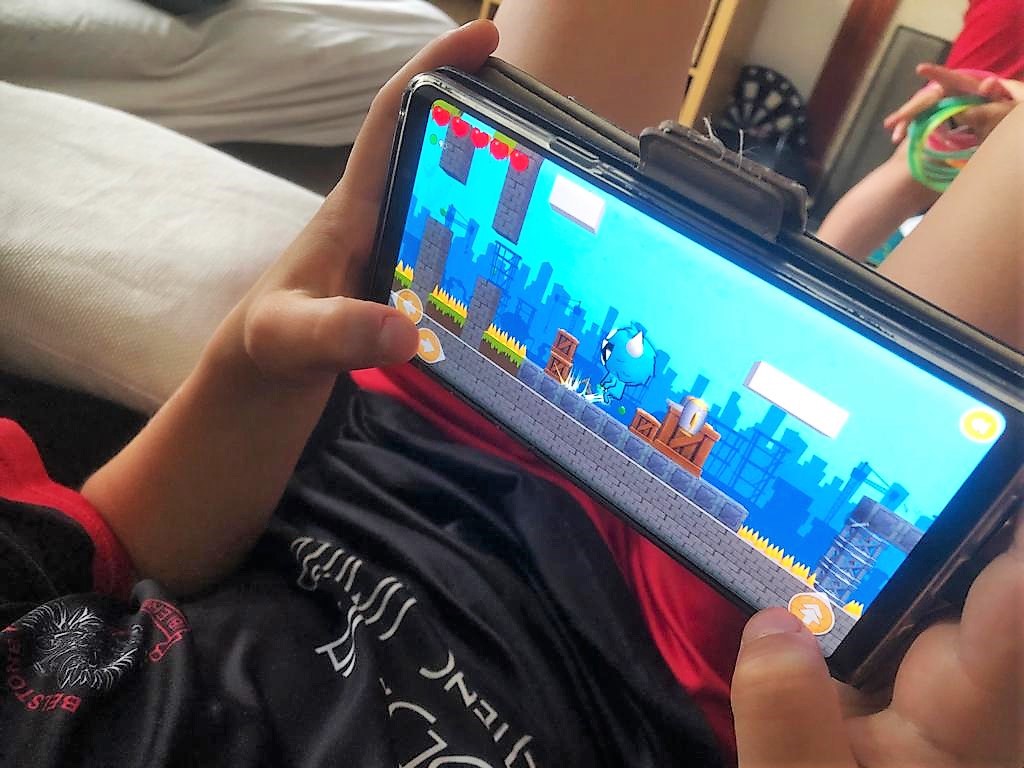
My son really enjoyed the codeSpark app but it may have been a touch on the easy side for him as has completed a lot of the coding starter activities with another one-to-one coding programme he works with every week and he codes for fun!
He’s also 10 so on the top end of who codeSpark is geared towards but if your child just wants to code for fun or you’re looking for structured computer programming activities for kids, then codeSpark is definitely the app for you.
FAQ
Can you play codeSpark offline?
You can access offline printables which can be monitored by parents, but the coding exercises for kids are online.
I’m a 12-year-old interested in coding, but all the sites for kid coding seem like they’re for 5-year-olds and they teach nothing about coding. What are some recommendations?
codeSpark is aimed at 5-10-year-olds but includes games and computer activities for kids that inspire coding. If you’re looking for an older program, look at JetLearn* which my son uses now, as he’s almost 11. You get one-to-one tutorials via Zoom and one module is all about creating a game in ROBLOX!
Which online education platform has the best value for learning how to code for kids?
codeSpark offers a 30-day free trial when you use this link* and the code MOTHERHOOD30 so you can try out whether your child likes it before you buy. Then it’s just $9.99 a month when you go for the monthly plan or you can save 33% and pay just $6.67/month ($79.99 billed annually). For your money you get:
- Unlimited coding challenges
- New skills EVERY WEEK
- 100’s of educational puzzles
- Unlimited access to the creativity suite
- Access for up to 3 children
Take advantage of a 30-day free trial for codeSpark using code MOTHERHOOD30*
What are a few recommended coding programming packages for kids 10-year-olds?
codeSpark* is catered for kids aged 5-10 years old but if your child is a beginner, then the app is a great place to start. Then you can progress to other coding programmes like JetLearn* for older kids to which my child has now enrolled and a one-to-one mentor comes online to teach coding.
What is the best coding class for kids?
If you’re looking for an app where kids can learn at their own pace without teacher supervision, then codeSpark is for you. If you’re looking for actual one-to-one classes with a teacher, then I would suggest something more like JetLearn* but you’ll be paying much more every month.
What’s the right age for kids to learn to code? I taught my son from the age of 6. Do I deprive him of his normal childhood? He is now 8 but still very interested in coding.
Absolutely not! The best time for kids coding is now, especially if they show an interest. Of course, you can’t force a child to code if they have no interest in the subject, but if your child still wants to learn coding, then get him onto a learning program like codeSpark and use the 30-day free trial to see whether your son gets on with the structure and the learning activities to help him build on his coding skills.
What are the best starter programs to get a 10-year-old child into programming coding or games for open source coding?
The best starter programs are the ones which allow your child to try out coding at their own pace. CodeSpark is an app which is child-led so the more activities your child completes, the further they progress.
Why should I consider coding games for kids to help my kid learn computer programming?
Coding games make coding fun and the transferrable skills allow the child to take what they’ve learned and implement it into something like computer programming.
What are some good games to teach programming for kids?
codeSpark has some great instructional games which teach your child how to code by using the step-by-step block activities. The games and activities teach your child code without them realising, so it’s a great way to teach them the new coding language.
Is there any game for PS4 that teaches kids 10 years old to code and programming?
You can access codeSpark on the web, so you should be able to access codeSpark via the browser on the PS4, but we haven’t tried this personally.
With preschool games that teach 4-year-olds coding and multiple learning resources, is there too much disparity in education levels for grade school children? How can we level the playing field in schools?
There are some great answers to this question here: https://qr.ae/pvoQZi
What is the best way to teach my 10-year-old coding? He likes to make video games.
Then definitely dip his toes into the coding water and get him to try codeSpark just for fun. He may be on the top end of the age range, but the app has great starter coding games to see if it is something your son wants to continue working towards.
Are there any coding activities without a computer?
You can get free printable coding worksheets from codeSpark which work offline.
Are there any coding activities for elementary children?
codeSpark is catered towards kids 5-10 years old so is the app is prefect for elementary children.
Are there any coding activities for preschoolers?
“Pretty much any game or activity that uses mathematics skills is a useful coding activity for pre-schoolers. There are lots of easy and fun number sense games that help teach preschoolers to understand numbers.”
https://teachyourkidscode.com/coding-for-preschoolers/
*This post was sponsored by codeSpark. Links marked with a ‘*’ are affiliate links which means I may earn a small commission should you click through to buy.