

How to help your child revise for their 11 plus exams
*This article is Part Two of the Eleven Plus Exams Series under Kids Mental Health where we talk about the revision aspect of the eleven plus exams. If you haven’t read Part One yet, which is about mentally preparing your child for the 11 plus exams, then please read that first.*
*This article is based on the school system in the United Kingdom. Your school system may differ if you’re in Scotland, Northern Ireland or abroad. Please check the guidelines in your area.
*We were gifted with an annual subscription package from EdPlace, but all thoughts are 100% our own
In my first article on how to mentally prepare your child for the 11 plus exams, I talked about the dreaded panic you feel when you realise your child needs to take the 11+ this year. I also discussed the lead up to the revision portion of the eleven plus exams, i.e. mentally preparing your child for the extra workload, finding out which schools are in your area and working out which 11 plus exams your child will take. You can find all this information in my first article here.
In this article, we dig into the actual revision preparation, i.e. what resources we used, where we got our information from and how we devised a plan to ensure our eldest is exam ready by this September using a variety of resources, including EdPlace* which a fantastic online platform to aid your child’s learning. We started six months before the exams which are a little late in the game, but still doable. Ideally, you’d want to start preparing your child in Year 3 and gradually build their knowledge.
Thankfully, I have been involved in my kids’ education since they were wee babies so we haven’t started from a blank slate and we hired a tutor for my eldest back in September of Year 5. Gillian is amazing because she has worked so hard to build Aron’s knowledge and has the patience of a saint. You can find Gillian’s details here (no poaching please!) in case you’d like to hire her to help with your child’s eleven plus. I’ll discuss hiring tutors, as well as other online resources, and how they can help in more detail below.
Get 15% off when you subscribe to EdPlace’s online platform now! Just use code LEYLA15!*
What is 11 plus?
I touched upon what the 11 plus is in my first article here, but for ease, the eleven plus exams are tests taken by Year 6 primary school students for a chance to enter via Year 7 transfer to grammar secondary schools. You would need to check whether your area offers the 11+ though as Wales and Scotland no longer have the grammar school system.
You’ve mentally prepared your child, now it’s time to get stuck in with the revision. But, where do you start?
Luckily, the schools we’re working towards all offer tests by the same examination board, GL assessment, which means the Maths and Verbal Reasoning grammar school tests will be very similar amongst two of the schools in our list. If our son passes the Maths and Verbal Reasoning portion of the 11 plus test then he will be invited to take the English test later in September for one of the schools.
In the first article I talk about what Verbal Reasoning, Maths and English cover so please check that out here. Some schools will require you to take a Non-Verbal Reasoning test too, so make sure you find out at the beginning the topics your child needs to revise.
When will the 11+ tests take place?
In our area (Hertfordshire) the 11+ tests take place at the beginning of September when your child is in Year 6.
What will the 11+ tests look like?
The schools we have selected will have one Mathematics paper which will cover approximately 50 minutes and is based on the Key Stage 2 curriculum. The Verbal Reasoning tests will also take 50 minutes. Tests are usually multiple-choice except for English which is a one-hour comprehension paper and includes an extended creative writing piece, which is written internally.
Independent schools will have their own entrance criteria so make sure you check their website for more details because it’s very important to know which 11 plus test your child is taking so you don’t waste unnecessary time.
Get 15% off when you subscribe to EdPlace’s online platform now! Just use code LEYLA15!*
Devise a revision plan according to the time you have left
Once you know which tests your child is taking and when those tests will take place, it’s time to equally divide the revision required for each of these subjects according to how much time you have left until the exams. As recommended in my first article, don’t allocate more than two hours a day to work intensively on 11+ because your child will have school during the day and other extracurricular activities. Any more than two hours will be overkill unless you’re absolutely sure your child can take it and you’re weeks away from the exams and still have a lot to do.
You can spread the two hours throughout the day or you can group them together with a small break in between, depending on how and when your child works at their best. My son works better after school so he takes a small break and then he studies until dinnertime.
In the beginning, you shouldn’t focus on timed tests but familiarising your child with the level of work required and what’s expected of them. We divide the two hours equally between Maths, Verbal Reasoning and English with slightly more time allocated to Maths and Verbal Reasoning. So, for example, Maths revision is 45 minutes long, Verbal Reasoning is 45 minutes and then English is 40 minutes, plus or minus and with a small snack/movement break in between.
What tools can you use to help you revise for the 11 plus grammar test?
Once you’ve worked out a plan of revision action, you can start to incorporate tools and resources to enhance your child’s learning. We use all three methods below but you can use any one or all of the tools/resources to help your child revise for the 11+. These are:
Hiring a tutor
We spoke about Gillian above who has been with us for eight months now and we’re very happy with the progress our son has made so far. We initially hired Gillian to help our son stay on par with Year 5 schoolwork once a week and perhaps go beyond what was expected but now we focus purely on 11+ work in the form of activity books and 11 past papers. Gillian then sets us homework based on the free 11 plus papers with answers which we follow throughout the week and we also book extra sessions during holidays if required.
Activity Books / 11 Plus Past Papers
Google ‘11+ practice papers‘ and you’ll be bombarded with a wide variety of paper-based resources catering for all kinds of pupils and exam boards. We use Letts Ten Minutes Tests* and Familiarisation Papers from the school’s website as well as some other great workbooks from The Works and Amazon. Again, make sure you get the right paper from the right examination board as CEM verbal reasoning exam looks very different to the GL 11 plus verbal reasoning exam for example.
Also, check on your local online 11 plus forum for more information on what parents are using in your area. It’s always great to connect with other parents during this time as you may be able to find tips and tricks on revision techniques that may work for your child too.
Get 15% off when you subscribe to EdPlace’s online platform now! Just use code LEYLA15!*
But which 11 plus books do we need to prepare for the 11 plus exams?
Some of our favourites which we’ve worked through systematically since February are:
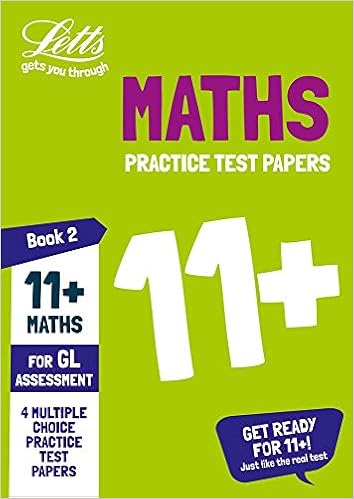
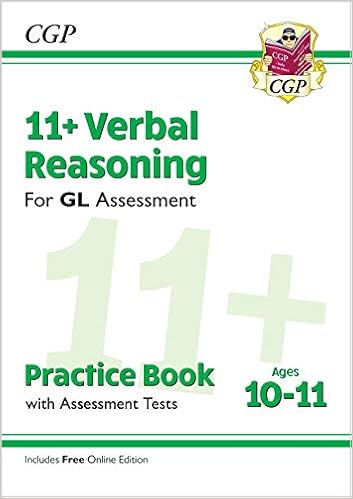
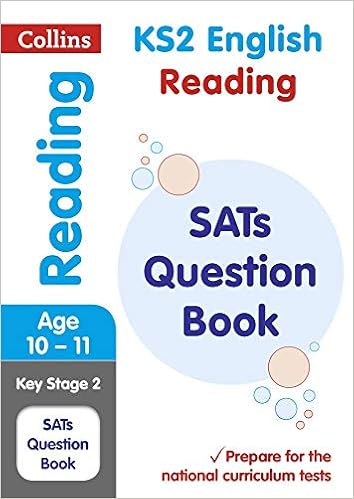
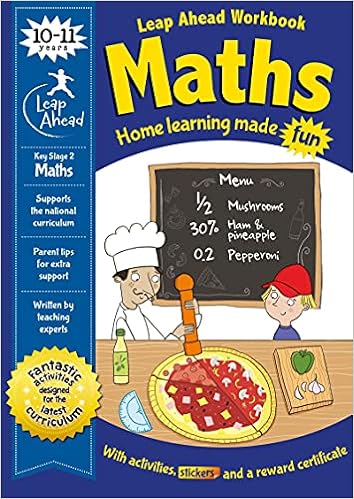
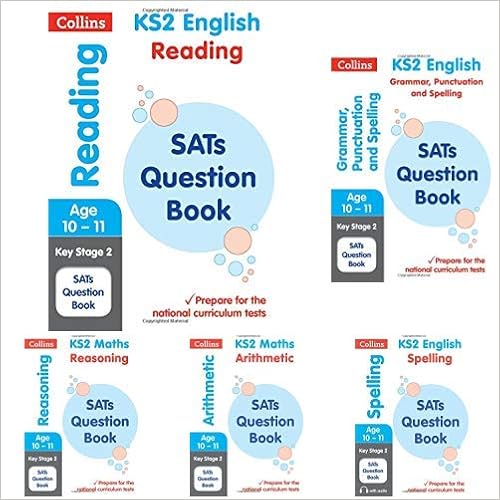
– Buy from Amazon now
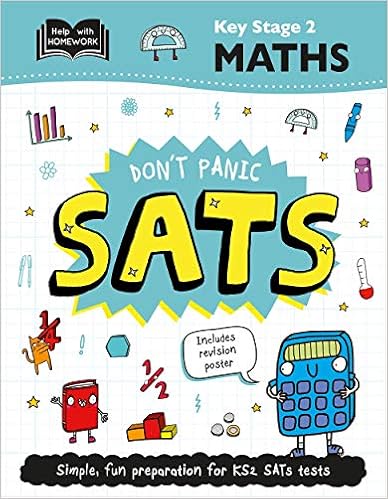
A few points to note about these paper-based resources is to avoiding buying books that are too difficult as they can overwhelm your child. If you have time on your hands, start with Key Stage 2 books which are for your child’s age and year group then progress onto tests to gauge which topics your child is doing really well on and where there may be holes in their learning. Then focus on the holes using workbooks specified for that topic.
Again, make sure you pick the right topic and examining board. CEM and GL assessment papers use a different format so focus on the past papers from the right examination board.
A few months before the grammar school exams you can progress onto familiarisation papers which are past papers taken from the school’s website. You don’t need to worry about timed 11 plus test papers at this point because the aim is to find out which topics your child is struggling with and which they’re doing really well in so you can focus on bringing everything up to par.
Once you’re happy that your child can work through the papers with ease, you can start timing them a few months before the test. This is a vital part of the revision plan because your child needs to know what it feels like to sit a 50-minute test without any breaks.
Don’t forget to submit special circumstances if you feel your child needs extra time and support during these tests. You will need a letter from your child’s school to submit as evidence. Follow the school’s special circumstances protocol to a ‘T’ so you don’t miss out on extra support for your child.
Online Platforms like EdPlace
Get 15% off when you subscribe to EdPlace’s online platform now! Just use code LEYLA15!*
To further enhance your child’s learning it’s recommended to use all sorts of visual resources. Paper-based activities are great to work on with you and your child’s tutor, but online and interactive resource platforms like EdPlace* can encourage a deeper insight into where your child is in their 11+ journey and the areas they need to improve. It’s also great to change things up and make learning fun too.
EdPlace can base your child’s results on algorithms that will help suggest the right topics your child should work on. Online platforms can automate a lot of the guesswork like timed exams and automatic results, which means fewer human marking errors too.
We’re working with EdPlace to help our son pass his 11+ exams and so far we are very impressed with its interface and usability. We’ll go into more detail about how EdPlace can work for your child too.
What is EdPlace?
EdPlace has been dubbed the smartest revision app for GCSEs, 11+ and SATS and boasts thousands of resources that correspond with the school curriculum and exam boards.
Check out the video below from EdPlace’s founder, Will Paterson, who talks about his struggles at school and how support helped him get his best grades later.
Get 15% off when you subscribe to EdPlace’s online platform now! Just use code LEYLA15!*
“EdPlace students see 150% progress in English, maths and science.”
Will Paterson, Founder and CEO of EdPlace
How do you use EdPlace for 11+ prep?
For the purposes of this article, I will show you what you get with the Annual Family Membership account.
The first thing you need to do is log in as a parent:

Sign up for your parent details and then you set up your child(ren)’s student account(s). You can assign up to four children to the annual membership. You input their student username and set a password (if the username is not available there will be an ‘X’ next to it. You may have to add numbers to the end to find an available username.) You then add your child’s year, in our case Year 4 and Year 5. Once you’ve added your child you click on ‘save and get started’. You’ll receive email notifications that all accounts are set up and your child is ready to start learning.
Once you get to this stage you’ll be taken to your parent home page which looks something like this:

Here you can view your parent account and your child’s student account, or you can jump straight ahead to get started with EdPlace’s catch-up assessments.
Get 15% off when you subscribe to EdPlace’s online platform now! Just use code LEYLA15!*
Your parent account
On the very far left of your screen, you will find the tools you’ll need to navigate your parent account.

In the middle of the page, you have your child(ren)’s account summary where you can check how each individual child is doing. The top part of the summary where there are a number of activities assigned already is the auto-assign kicking in.
You will have an option to auto-assign activities based on your child’s school year and scores which you can change at any time. What this essentially means is that you have access to everything (so English, maths and science will be auto-assigned). The 11+ topics fall outside of the auto-assign, however, so you would need to select these manually.
Really, it depends on how you’re going to manage the revision plan as the more activities your child does the more effective the auto-assign becomes as it will assign topics based on your child’s performance.
I would recommend keeping the auto-assign on and manually assign 11+ topics on top of the auto-assign anyway. You have the recommendations at the top which mean EdPlace can recommend an activity and it will continue to reassign activities based on your child’s performance.
At the bottom of the summary section, you can also set rewards. EdPlace uses a point system where your child can earn points for every completed activity. For example, 50 points could equal a pizza night or whatever your child is interested in working towards.

The blue button at the top, where it says ‘My EdPlace’, is your home button, so if at any point you get a bit lost, just click on that button and it will take you back to the summary area.
Browse and assign topics
Down the side of the parent account, you also have the ‘Browse and Assign’ option where you can find a list of activities from Year 1 to GCSE. The great thing here is that if your child is excelling on a particular topic you don’t need to stay within their year, you can move on to the next year and encourage them to try some of the activities above their current level.
Similarly, if your child is struggling on a particular topic, you can go back a year and work on the foundational topics with them before they move on to their current year’s work.
Working towards your child’s level to begin with is a great way to boost their confidence if the current work set is too overwhelming.
Your child’s student account
When your child logs in to their own account the assigned activities will show up already. They will see a condensed version of what we see under our parent accounts.

In their student account, your child can see the scale moving towards their rewards to give them that added incentive to keep working hard. They can also request a reward if there isn’t one set. The added incentive makes for such a great way to personalise your child’s journey and encourage them to keep going.
Your child can check out their to-do list too and browse the activities recommended by EdPlace and the topics you have assigned.

Get 15% off when you subscribe to EdPlace’s online platform now! Just use code LEYLA15!*
Your child can choose an activity based on what they learned at school that day
When your child comes home from school they may want to pick a particular activity they worked on at school that day, so they can browse activities and enhance their learning further.
You can, of course, have the option to turn recommendations off but if you want your child to become independent with their learning it’s probably best to leave it on.
The 11+ activities
If you click on 11+ activities, for example in Year 5, you can see a list of activities categorised by maths and numerical reasoning, verbal reasoning, spatial and non-verbal reasoning, and English.

At the very top the activities are further categorised as ‘general’, CEM’ and ‘GL’. If you know the exam board your child is sitting for the 11+ you can choose 11+ activities specific for those exams.


So Aron is sitting maths and verbal reasoning via GL and if he passes he will sit his English in the next round of exams, so it’s great that activities are further categorised into the types of questions that will be specific to what he’ll be sitting in the exam. I also know which areas he’s struggling in so we could focus on those topics from an earlier year or via the general category and make sure he gets them right before moving on to the 11+ topics.
If you click on one of the topics, for example, ‘Place Value’ under Year 5 11+, and then choose a sub-topic, you can preview the activity and view the questions first before you assign the activity. The topics range in levels too from Level 1 to Level 3. One blue dash is Level 1 and three blue dashes are Level 3. What this means is that you have nine levels as each level is broken down into three levels as mentioned before and then you have three levels for Year 4 and three levels for Year 5.


So if your child is struggling on a topic they can start with Level 1 but if they’re flying they can jump straight to Level 3.
Get 15% off when you subscribe to EdPlace’s online platform now! Just use code LEYLA15!*
11+ exam practice and assessments
At the top of the activities page, you also have ‘Question Types’, ‘Assessments’ and ‘Exam Practice’. Exam practice is a great place to start if your child is doing well in particular topic as these involve exam prep with a timer.
If your child can complete the difficult questions in the allotted time then they’re ready. But, if they’re getting them all right but they’re too slow then you know that’s something they need to work on going forward.

The practice papers are all created by EdPlace 11+ tutors, designed in the style of the different exam boards to best replicate the experience and give students a chance to practice in examination conditions.
How to tackle the 11+ practice papers on EdPlace
Essentially kids need to spend no more than one minute per question which is so daunting. That’s why EdPlace* has built the platform in such a way to not cause sheer panic and build up the child’s skill slowly and naturally so they are ready to tackle the 11+ once they start Year 5. This is why starting slowly in Year 3 is beneficial as you can build your child’s skill and knowledge gradually and without them knowing. Make it fun at that age by calling it ‘detective work’ rather than the 11+ and by the time they start in Year 5, you can start on timed questions and full revision practice.
With the exam questions, you could do a couple in an evening in the lead up to the test, but during the summer you can start on the timed questions as there are 57 questions so that’s quite a long stint of time.
You won’t see exam questions or practice papers in Year 3 as your child is too young at that age and they don’t need the extra pressure of exam-style questions. It’s all about getting to grips with the skills and progressing rather than testing and competing at that age.
In Year 3 EdPlace* breaks the skills down in a very simple form, which creates a foundational ground for learning.
Viewing the results
When you click on scores under ‘progress’ you will start to see percentage results next to each activity completed. You can click on 11+ and check out which are the best performing topics and how many activities have been completed already.

EdPlace app
You can download the EdPlace app too via iPhone* and Android* so your child can complete activities on the go. The great thing is they can also complete their activities on the PS4’s browser and on the iPad, so there’s no excuse to not get it done if they’re not at a desk!
How to sign up to EdPlace
EdPlace offers three membership models, depending on whether you are a parent, a teacher or a tutor.
Parents can subscribe to a free account which offers:
- Up to five activities a month
- One student account
- English, maths, science and 11+
- Key Stage 1 to GCSE
You can also opt for an Annual Individual account which offers the added bonus of unlimited activities and premium content. Or you can opt for the Annual Family subscription which means you can add up to four student accounts to the membership. The Annual Family account is perfect for us as our middle child who is in Year 4 can have his own account and work towards the 11+ alongside our eldest.
If you opt for monthly membership the prices are slightly different. Click here* for the most up-to-date prices on each membership.
EdPlace offers membership models for teachers and tutors too so it’s worth checking them out too if this applies to you.

Why you should sign up to EdPlace
EdPlace* have a free account where five 11+ activities can be completed on a monthly basis, and the account functionality remains the same with the metrics.
EdPlace is a fantastic interactive online platform that encourages and motivates children to complete short, visual lessons and tests which enhances their 11+ learning. The lessons are so well put together and there is an encouraging teacher’s explanation should the child get the question wrong.
Both of my boys have enjoyed completing just three assignments a day which are a short ten questions each to keep them engaged and when completed I, the parent, receive an email report which shows me where they’ve done well and where they need more practice. This functionality alone massively helps me work out what to assign next, not only on EdPlace but to my son’s tutor because we can work hand in hand on building the gaps in his 11+ knowledge.
Make learning fun!
11+ is stressful in itself so if we parents can make it a fun process for our kids then it will help them gain confidence in their ability to get through it all. I see my son’s face drop when he knows he has to complete set work after school, but building in a fun platform like EdPlace amongst the tutoring and paper-based activity sheets can boost his motivation to continue working hard.
EdPlace’s reward and badges system can also help to motivate your child into seeing how well they’re doing in each topic, so it’s a great addition to the 11+ revision journey.
The 11+ should be accessible for all children, should they want it
I started in February and I had no idea what I was doing with the 11+. I find that some parents are reluctant to volunteer information on how to help for whatever reason. So, I want to change that. Why can’t it be a level playing field for all children? We live in an affluent area so parents have tutors and their children often end up in independent schools, so I feel for those parents who can’t afford to have tutors or independent prep. So, EdPlace* is a great tool to offer those children from poorer socioeconomic areas the fighting chance to also get into a grammar school.
Be there for support
EdPlace’s ethos aligns very much with mine; support, hard work and confidence. Support is key to helping your child succeed and the more you can are involved in their 11+ journey the more chances they have of passing.
Hard work and confidence go hand in hand in the sense that the more confident your child is in themselves the harder they are likely to work towards their goals. And work ethic is incredibly important, even more so than acing the grammar school entrance exam because even if they get kicked down with poor scores, they can get back up and continue to work to improve on those scores.
This is why I say to never criticise your children’s work. Wherever you see an improvement focus on that and ignore the rest. For example, when you go through the 11 plus questions and answers, if your child got 3 out of 10 in one of the maths tests, focus on what they got right and build into the next revision the 7 they got wrong. Through practice, they will improve on those marks.
You may have a million things to do during the day, including looking after other children, but being present in your child’s learning can be invaluable for their progression. Even if you don’t do any of the actual work with them, actively engage with them and praise their work ethic if they’ve had a particularly great day of revision. Love and support can go a long, long way to helping your child gain the confidence they need to ace these exams. And if they don’t pass, the extra work they did will help them progress in Year 6 anyway.
Positivity is key!
Will 11 plus exams go ahead during the pandemic though?
The pandemic has affected the children the most in my opinion and a lot of parents will be asking themselves, ‘Will the 11 plus be postponed?’ So far we have not received any indication that the 11 plus exams will be cancelled but chances are if cases increase that they will do the test virtually. Check your grammar school’s website to make sure you’re up to date with any changes to the 11 plus exams.
We don’t want kids to feel broken if they fail their 11+, we want to arm them with the power and knowledge that hard work does pay off. Start off small and slow then grow. I think this is the key to success as long as you have a great work ethic and every child gets a fighting chance to make it work!
Get 15% off when you subscribe to EdPlace’s online platform now! Just use code LEYLA15!*
*Links marked with a ‘*’ are affiliate links which means that if you click through to buy I may earn a small commission at no extra cost to you.











5 Comments